
Prepare the chase
- Check the game state. Only calculate the ghost’s movement while the game is running.
- Find the player. Create new variables and calculate the X and Z differences between the player and ghost.
- Prepare the destination. Create new variables to store the ghost’s current X and Z positions as its starting targets.
- Choose an axis. Create a new variable and compare the absolute differences to decide whether X or Z is the better direction.
- Prepare to move. Use the target positions in the Glide block.

Make the ghost chase
- Choose an axis. Use
moveAlongXto decide whether the ghost should move along the X or Z axis. - Find the direction. Check whether the position difference is positive or negative to work out which way the player is.
- Move towards the player. Increase or decrease the target coordinate by 0.5 so the ghost takes small steps towards the player.
- Face the right way. Rotate the ghost to face its chosen direction before moving.
- Try it: Move the player around the world.

Make it unpredictable
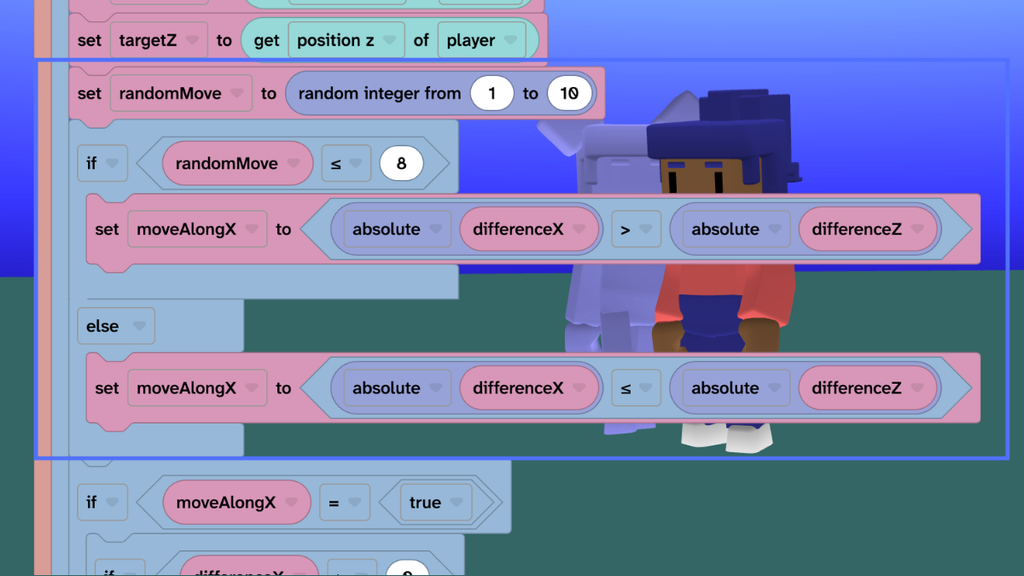
- Add some chance. Create
randomMoveand get a random number from 1 to 10 when the ghost chooses its next move. - Make a weighted decision. Give the ghost an 80% chance of choosing the correct axis to bring it closer to the player.
- Change its behaviour. Use
moveAlongXto store the direction the ghost chooses. - Try it: Watch the ghost chase you.
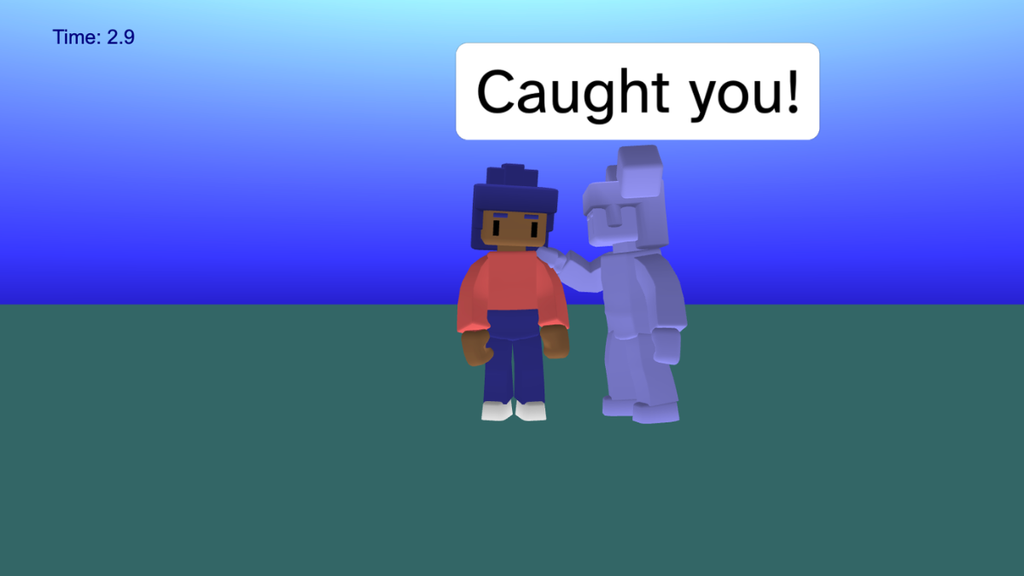
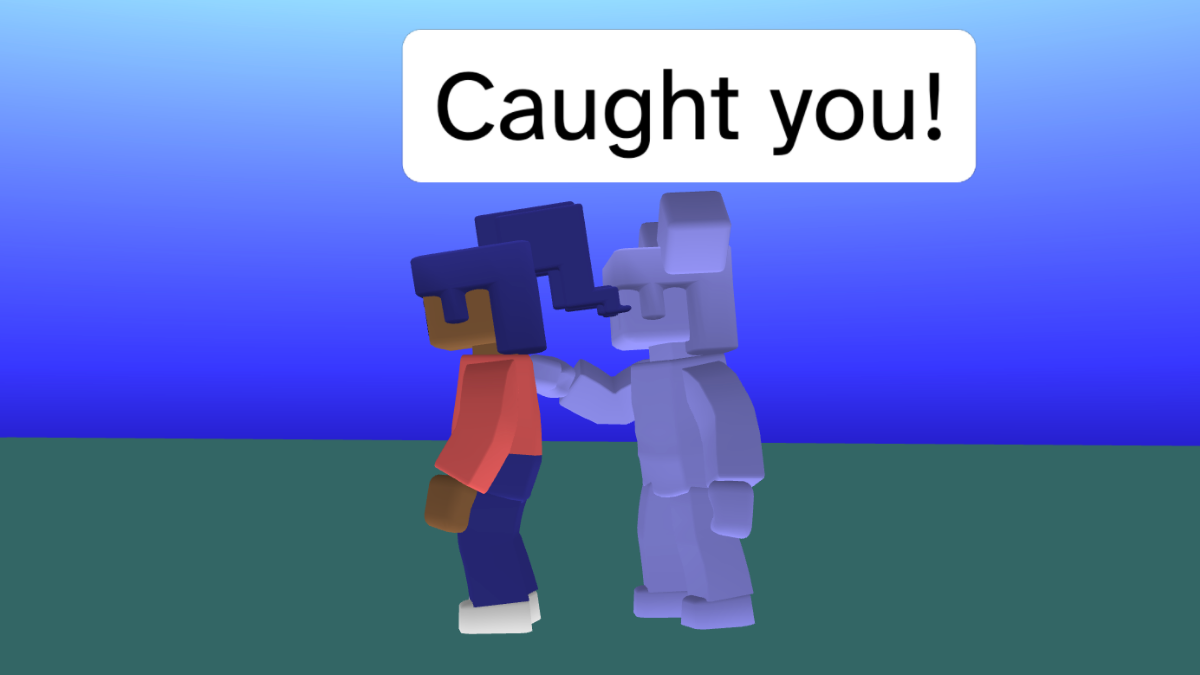
Caught you!
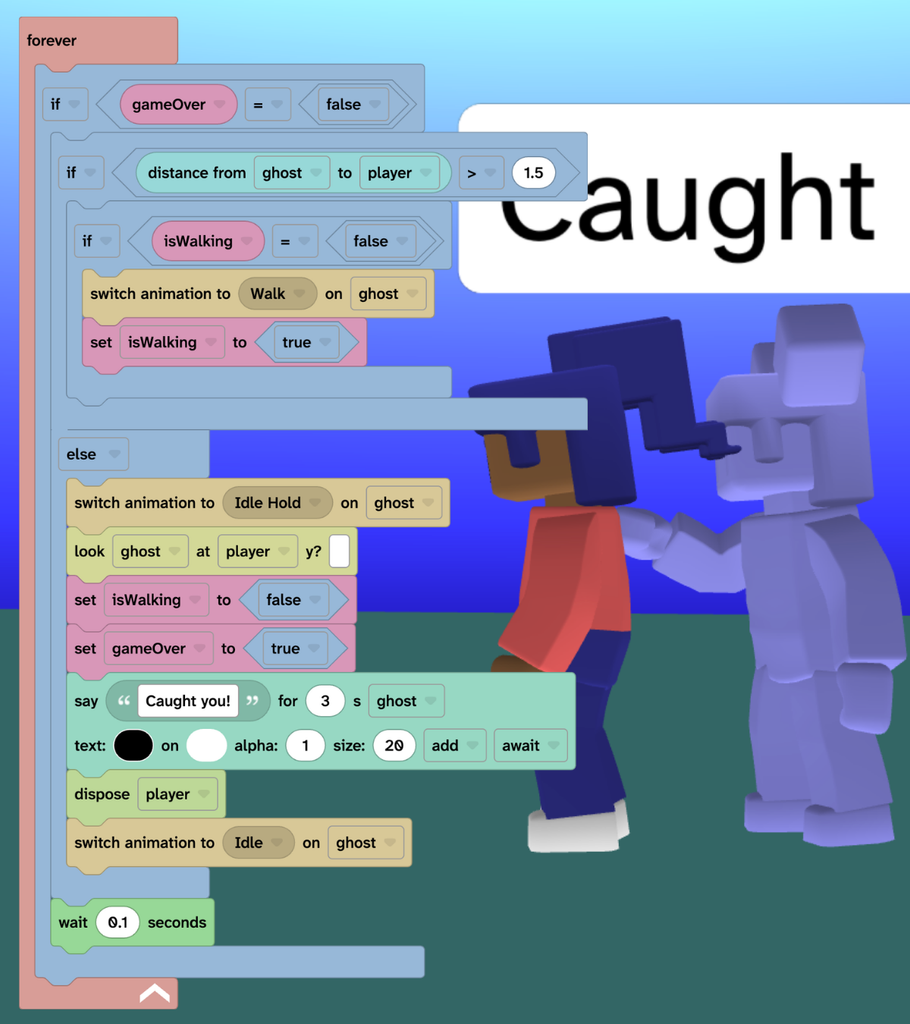
- Check the distance. In a new forever loop, keep checking how far the ghost is from the player to decide whether the chase should continue.
- Bring the ghost to life. Switch to the Walk animation while chasing, without restarting it every time the code repeats.
- React to the catch. When the ghost gets within 1.5 units, make it stop, face the player and say “Caught you!”
- End the game. Set
gameOvertotrueand remove the player so the chase is over. - Try it: Let the ghost catch you.
Beat the clock
- Start the clock. Create
survivalTimeto track how long the player avoids the ghost. - Count the seconds. Use a new forever loop to create a timer and display the survival time on screen.
- Stop when caught. Use the game-over condition to stop counting when the ghost catches the player.
- Try it: How long you can avoid the ghost.

Take it further
- Change the randomMove predictability and the target speed to alter the gameplay.
- Add more ghosts that start in different positions and create a maze of barriers out of boxes.
Idea gallery